
Virgin TV Stream Review UK 2026: Tested & Verdict – Honest Review & Buying Guide
Virgin Media’s pitch with TV Stream is straightforward: keep the cable broadband, ditch the bulky V6 box, plug a small puck into the back of the telly and pay only for the channels you actually want. It is the company’s IP-only counterweight to Sky Stream, and it lives or dies on the assumption that you are already a Virgin Media broadband customer or willing to become one. Where the older Virgin TV 360 setup was built around a coax-fed PVR with a hard drive, Stream is broadband-fed, app-driven, and much closer to a smart TV experience than to traditional cable. This Virgin TV Stream review UK 2026 walks through the Stream Box hardware, how the pick-and-mix channel system actually prices out, and whether someone already on Virgin’s cable should keep the V6 or move across.
New to IPTV? IPTV (Internet Protocol Television) streams live TV, on-demand films, and sports directly over your broadband connection — no satellite dish or cable required. Read our complete What is IPTV guide → Virgin Stream honest review.
🏆 Our Top 3 Recommended IPTV Services
- StreamVault — Premium global IPTV, 20,000+ channels, 4K Ultra HD. From $29.99/mo
- ApexFlow — Best for sports fans, all major leagues & PPV. From $24.99/mo
- BeamTV — Family-friendly & affordable, kids-safe content. From $7.99/mo
All three support 1, 3, 6 and 12-month plans — secure PayPal checkout.
Further Reading #
What Virgin TV Stream is (and what TV 360 was) #
To frame this Virgin TV verdict properly, start with the delivery model: Virgin TV Stream is delivered over your broadband connection rather than down the coax cable that historically carried Virgin Media’s TV signal. The hardware is a small puck — the Stream Box — that plugs into the TV via HDMI and connects to your home network over Wi-Fi or wired Ethernet. The box runs Android TV at its core, with a Virgin-skinned launcher on top, so apps from Netflix, Prime Video, Disney+, BBC iPlayer, ITVX, Channel 4, My5, YouTube and the rest of the standard British line-up are all installed and updated in the same way they are on a Google TV. Full product details are listed on Virgin Media’s official Stream TV page.
The older Virgin TV 360 service runs on the V6 set-top box — a much chunkier piece of kit with internal storage, twin tuners, and the ability to record live broadcasts to a hard drive. TV 360 still exists and Virgin Media has not forced existing V6 households onto Stream. The two products co-exist, and Virgin’s sales flow nudges new customers toward Stream because it is cheaper to ship and has no engineer-fitted recorder.
What is IPTV? #
IPTV — Internet Protocol Television — is simply television delivered as data packets across your broadband line rather than as a continuous broadcast signal squeezed down a coax or aerial cable. The interesting wrinkle for any Virgin streaming box tested in 2026 is that Virgin Media spent two decades being the country’s most visible cable operator: a coax pair fed every channel into your living room as a single multiplexed stream, with the V6 PVR doing the demuxing and recording locally. Stream rips that architecture out. The same Virgin Hub 5 that serves your Wi-Fi now also serves your TV, the puck pulls each channel as an individual on-demand request, and the “cable” you used to depend on becomes a backup pipe for upload speed.
That shift matters for any Virgin broadband TV review readers weighing up the move, because it changes what IPTV means in a British household:
- Channel choice is unbundled — you stop paying for the basket and start paying for the packs.
- The set-top box becomes a thin client, so an outage on the broadband side now also kills the telly.
- Content rights, not aerials, decide what is available in the UK at any given moment.
Virgin’s implementation sits at the regulated, licensed end of the IPTV spectrum, similar in shape to the Sky Stream proposition and the newer EE TV puck-based service — all three are IPTV in the technical sense, all three operate under Ofcom’s TV and on-demand guidance for UK broadcast standards, and none of them resemble the unlicensed M3U-list services the term “IPTV” is sometimes loosely associated with online.
The Stream Box hardware #
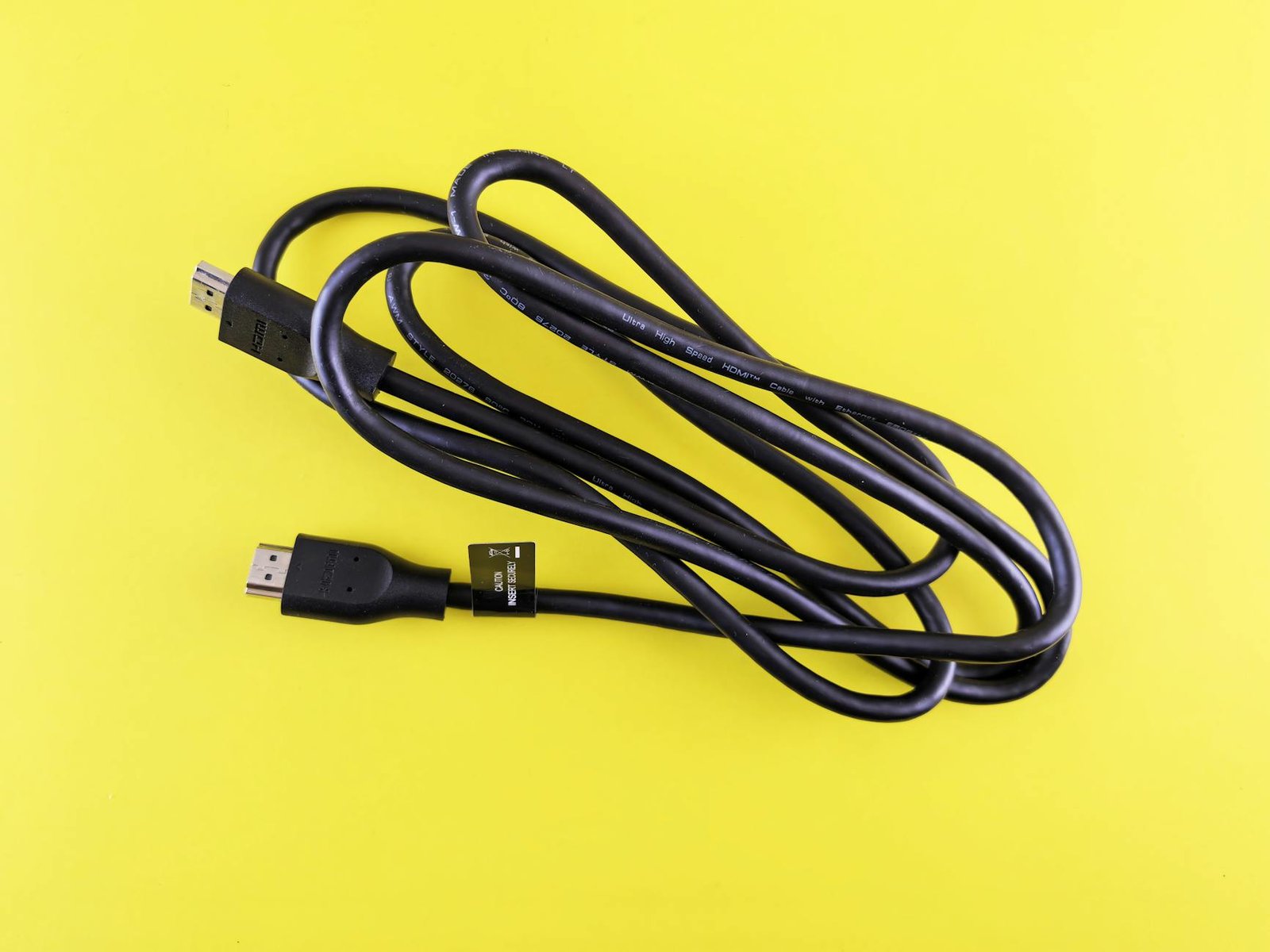
The hardware section of any Virgin IPTV evaluation has to start with the puck itself. The Stream Box is roughly the size of a thick coaster, with HDMI 2.1 output, an Ethernet port, USB and Bluetooth for the remote and pairing accessories. It supports 4K HDR output (HDR10 and Dolby Vision on titles where the source delivers it), Dolby Atmos pass-through on capable apps, and AV1 decode for newer streaming sources. The remote is a Bluetooth voice unit with shortcut buttons to Netflix, ITVX and a configurable favourite, and it runs on AAA batteries rather than charging.
Wi-Fi is dual-band, with Ethernet recommended whenever you can run a cable — particularly in households with the Virgin Hub 5 sitting at the opposite end of the property. The unit is fanless and silent in operation. The one practical complaint repeat-buyers raise is heat: parked in a closed AV cabinet without ventilation, the Stream Box will throttle picture quality during long sessions. A few centimetres of breathing room above and behind the box solves it.
Virgin TV Stream pricing in 2026 #
Pricing is the section most readers come to a Stream Box UK assessment for, and it is also where the service genuinely earns its place against rivals. Stream’s pricing model is pay-for-what-you-want layered on top of a base. The free baseline gives you Freeview-equivalent channels (BBC, ITV, Channel 4, Channel 5 and their digital siblings) plus the standard streaming apps if you log in to them separately. From there, you add channel packs. Sky Cinema HD, Sky Sports, BT Sport / TNT Sports, kids’ packs and entertainment packs are sold individually with monthly rolling commitments. Pricing as of writing is subject to change at virginmedia.com — Sky Cinema HD currently sits around £18 a month, the Sports HD pack around £30, TNT Sports around £30, and the various entertainment add-ons in the £8 to £15 band per pack.
Virgin Media also pushes broadband + Stream bundle deals where the Stream service comes essentially free as a sweetener on a longer broadband contract. These bundles are the cheapest route in if you were going to take Virgin’s broadband anyway. The reverse — taking Stream without Virgin Media broadband — is, in practice, not really an option: the Stream Box is locked to Virgin Media accounts and the service expects you to be on the same network.
Pick-and-mix channels — how the maths works #
The cleanest way for any Virgin Stream honest review reader to think about the service is as a Virgin-selected app store with a unified billing layer. You pick the packs you want from a menu, your monthly bill reflects only those packs, and you can drop a pack the next billing cycle if a sport season ends. A football household running TNT Sports plus Sky Sports will spend roughly £60 a month on those two packs alone. Add Sky Cinema and you are at £78. Strip everything down to the free Freeview-equivalent baseline and the Stream subscription itself is essentially zero on top of broadband.
That contrast is the entire pitch. A V6 customer paying £85 a month for the full TV 360 bundle — including channels they never watch — can frequently rebuild the same actually-watched stack on Stream for £55 to £65. The catch is recording, which we will come to.
Picture quality and broadband requirements #
The picture-quality verdict in this Virgin TV verdict comes with a broadband caveat. Virgin recommends a minimum of around 30 Mbps for reliable HD streaming on Stream, with 100 Mbps headroom for 4K HDR and multiple simultaneous streams in the household. On Virgin Media’s own fibre, this is rarely a problem — the service is engineered around the assumption that you are on a Hub 5 with the house’s full bandwidth available. On a foreign ISP (in the rare case where Virgin allows it), buffering complaints surface more often, particularly during peak evening hours.
Picture quality on 4K-supported titles via Sky Cinema or selected sports fixtures is genuinely good — Dolby Vision on the right film looks the part on an OLED panel. Standard HD on the entertainment packs is comparable to what Sky Stream delivers. The weakest link is occasional macro-blocking on sports streams during heavy-action moments, which is more of a codec/bitrate quirk than a Virgin-specific issue and turns up across most IP-delivered sports services.
Virgin TV Stream vs Sky Stream — the honest comparison #
The Sky comparison is unavoidable in any Virgin streaming box tested. Sky Stream is arguably the more polished software experience. Sky’s EPG, voice search and watchlist behaviour feel one generation ahead of Virgin’s launcher, which is recognisably stock Android TV underneath. Sky Stream comes with Netflix bundled in many tiers; Virgin TV Stream does not bundle Netflix — you pay it separately. On hardware, both pucks are similar in capability, and we have a dedicated Virgin TV Stream vs Sky Stream head-to-head if you want the spec-by-spec breakdown.
Where Virgin wins is on broadband use. If you are already paying Virgin Media for the cable broadband — and a lot of UK households are, particularly in cabled areas where Virgin’s Gig1 line beats nearby Openreach — adding Stream often costs less than adding Sky Stream over a third-party broadband. Sky Stream is also broadband-agnostic, which means you can take it on BT, EE or Vodafone fibre, but Virgin’s bundle pricing makes Stream the more economical route for an existing Virgin household. Sky wins on software polish; Virgin wins on bundled cost when broadband and TV are taken together.
Virgin TV Stream vs Virgin TV 360 — when to switch #
The internal-upgrade question is the other half of any Virgin broadband TV review. TV 360 keeps the V6 box, hard-drive recording, twin tuners and a more traditional EPG. Stream gives that all up for app-store flexibility and lower monthly bills. The honest test for a current V6 household is: do you actually use the recordings? A lot of Virgin TV 360 users built up libraries of BBC dramas and films during the 2010s and used the recorder heavily; the same households today increasingly watch through iPlayer and ITVX, which makes the recorder largely decorative.
If your recordings are genuinely active — sports replays, news clips, multi-episode series you re-watch — TV 360 still has a real advantage. If your recordings sit untouched and you watch live or on-demand through the streaming apps anyway, Stream saves money and reclaims the AV cabinet space the V6 occupies.
What Virgin TV Stream does well #
The strengths column of this Virgin IPTV evaluation starts with cost. The broadband bundling is genuine — the per-month total cost of Stream alongside Virgin Hub 5 fibre is generally below what an equivalent Sky Stream plus third-party broadband adds up to. The pick-and-mix channel model also rewards households that watch a specific subset (sports-only, films-only, kids-only) rather than paying for the whole basket. And the Stream Box itself is small, silent, and runs the standard streaming apps as well as a typical Google TV stick — so it doubles as the household’s main streaming hub, not just a cable replacement.
Cancellation flexibility on individual channel packs is also genuinely useful. Drop the Sports pack in the summer, pick it back up in August, no contract penalty. That is not something the V6 era really offered.
Where it falls short #
The weaknesses side of this Stream Box UK assessment is shorter but worth weighing. Recording is the obvious gap. Stream relies on broadcaster catch-up where it is offered, which covers most prime-time programming but leaves cracks — niche sport replays, certain live events and time-sensitive news segments are not always available later. The Stream Box’s Android TV layer is functional rather than elegant, with occasional remote lag and slower app launches than Sky Stream’s bespoke OS. And the service genuinely requires Virgin Media broadband to make commercial sense; standalone customers find the numbers do not work.
Customer service through Virgin Media remains a recurring complaint independent of Stream itself — wait times on retentions calls, billing discrepancies during pack changes — and that legacy hangs over the Stream experience even when the Stream Box itself is faultless. None of this is a deal-breaker, but it is the kind of friction worth weighting before switching from Sky. Households on a tighter budget who only want catch-up plus a smattering of premium channels may also want to weigh up NOW TV’s pass-based pricing or the genuinely free Freely smart-TV service before committing to a Virgin Media account.
Who should consider it #
The buyer-fit verdict from this Virgin Stream honest review lands on three groups. Virgin TV Stream is the right answer for these households. Existing Virgin Media broadband customers who want to cut the V6’s bulk and bill but stay on cable. Households whose viewing has shifted heavily into apps (Netflix, iPlayer, ITVX) and who only really want one or two premium channel packs on top. And tenants in cabled buildings where Virgin Media’s Gig1 fibre is the fastest available option — taking Stream alongside the broadband then becomes a near-zero-marginal-cost upgrade.
It makes least sense for households without Virgin’s cable in their street, recording-heavy users who genuinely watch back what they record, and viewers who prefer a single integrated EPG over a launcher of separate apps.
Frequently Asked Questions #
Do I need Virgin Media broadband for Virgin TV Stream? #
Effectively yes. Stream is sold and provisioned through Virgin Media accounts, and the bundle pricing assumes you are already on Virgin’s fibre. There is no standalone Stream service on a third-party broadband line, and the Stream Box is paired to a Virgin Media account at activation. If you are not on Virgin’s cable, Sky Stream or NOW are the closer comparables for getting Sky-style content over any broadband.
Can I cancel Virgin TV Stream without losing broadband? #
Yes. Stream’s individual channel packs and the Stream service overall sit on a separate billing layer from the broadband subscription. You can drop the TV side entirely while keeping the Hub 5 connection live, and broadband contract terms are unaffected. The reverse — keeping Stream after cancelling Virgin broadband — is not supported, since the service is scoped to Virgin Media customers only.
Does Virgin TV Stream record live TV? #
No, not in the V6 hard-drive sense. Stream relies on on-demand and catch-up windows from the relevant broadcasters and channel packs. Most prime-time content is available to play back for at least a few days through iPlayer, ITVX, Sky’s on-demand library and similar, but there is no household-controlled recording library with manual scheduling. If you need genuine recording, Virgin TV 360 with the V6 box remains the option, or a separate PVR setup.
Is Virgin TV Stream cheaper than the old TV 360? #
Usually yes, for the same actually-watched content. The pick-and-mix model means you only pay for the packs you select, where TV 360 bundled larger groups of channels at a higher floor. A typical V6 household paying £80 to £85 a month on full TV 360 frequently rebuilds the same effective viewing on Stream for £55 to £65 once unwanted packs are stripped out. The savings shrink if you genuinely watched the full TV 360 bundle.
Can I take the Stream Box if I move house? #
If you move to another Virgin Media-cabled address, yes — the Stream Box and your Virgin TV account move with you and the service activates on the new line. If the new property is not in a Virgin Media coverage area, the Stream Box becomes inactive: it cannot run on a third-party fibre line. That is the single biggest gotcha for renters and recent home-movers; check Virgin’s postcode checker before relying on Stream as portable kit.
Is Virgin TV Stream legal IPTV in the UK? #
Yes, unambiguously. Virgin TV Stream is a fully licensed UK pay-TV service operated by Virgin Media O2, sitting under the same regulatory umbrella as Sky and BT/EE. Any Virgin TV verdict should make this distinction up front because the term “IPTV” is sometimes confused with unlicensed M3U list services circulating online. Stream uses the same Internet Protocol delivery method, but the content is rights-cleared, the broadcasters are paid, and the service falls within Ofcom’s on-demand programme service rules.
Related reading #
- Virgin TV Stream vs Sky Stream — full head-to-head
- Sky Stream review UK 2026
- NOW TV review UK — pass pricing explained
- EE TV review UK — the EE/BT puck
- Freely review UK — the free Freeview-over-IP service
- EE TV vs Sky Stream — which puck wins
- TiviMate review UK — the IPTV player
This Virgin streaming box tested reflects the author’s reading of publicly available information on Virgin TV Stream and Virgin Media bundles as of writing; pack pricing and availability can change at virginmedia.com without notice.
🔗 Quick Navigation & Essential UK IPTV Links #
Discover our official services, subscription options, and streaming guides to optimize your 4K viewing experience:
📚 Explore Topic Cluster & Related Knowledgebase (Silo Index)
Access verified sibling guides and core pillar resources from our streaming and setup cluster:





- 📖 4K IPTV UK 2026 — Best Subscriptions for Ultra-HD Streaming
- 📖 How to Setup IPTV on Philips Android TV Ambilight 4K 2026…
- 📖 Is IPTV Legal in the UK? 2026 Legal Status Explained
- 📖 Best IPTV Provider for Sky Sports & TNT Sports 4K UH…
- 📖 Best IPTV Player for Samsung Smart TV Tizen UK 2026 : 4K …
- 📖 Cancel Sky TV: Cheaper UK Alternatives in 2026