
IPTV Not Working on Samsung TV? Fix It (Tizen OS UK Guide 2026) — The Complete Breakdown
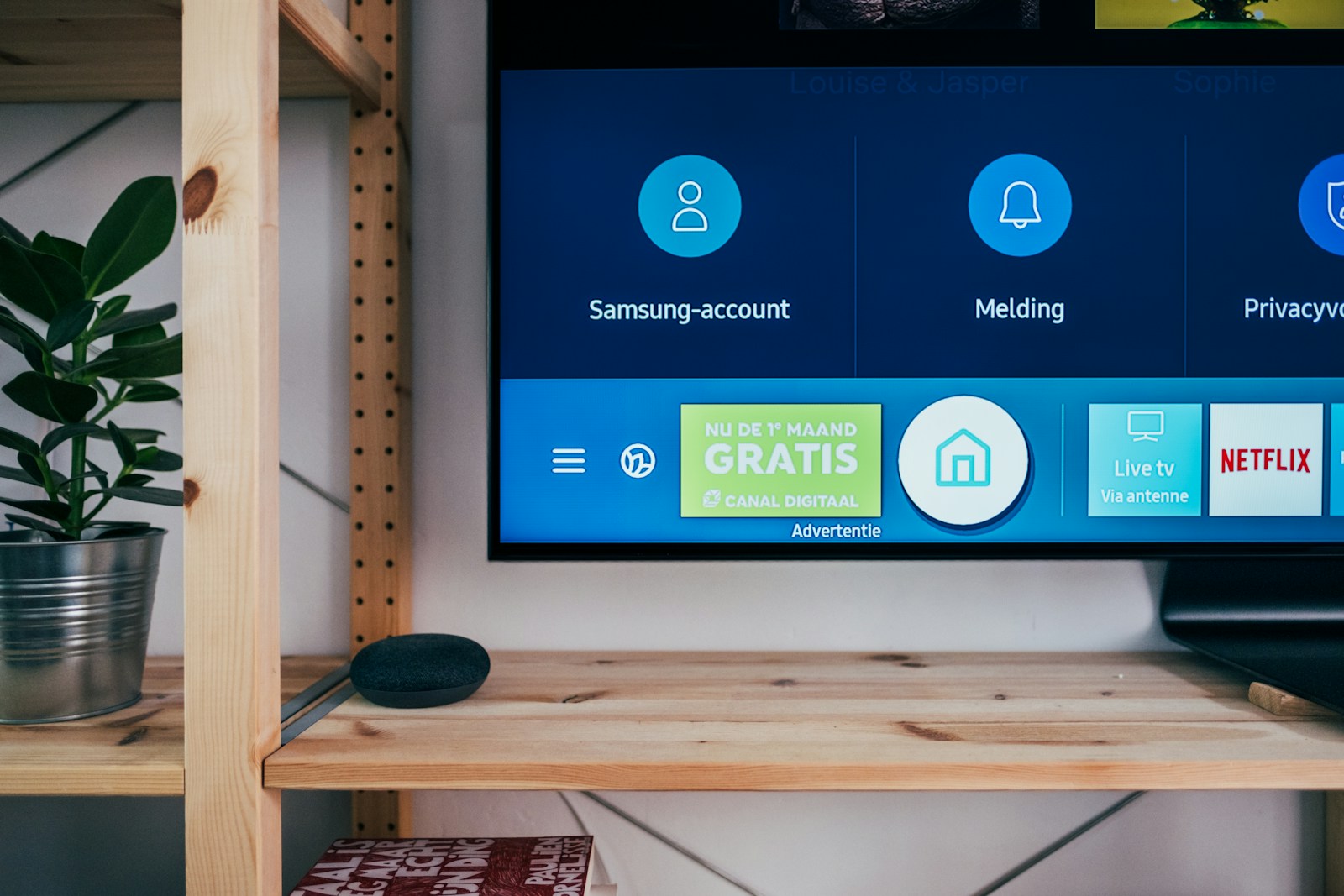
My Samsung QE55QN90B started refusing to launch Smart IPTV one morning in October 2023 after a Tizen OS update pushed overnight — the app opened, showed the channel list for three seconds, then crashed silently back to the home screen. It took me four hours across Samsung support forums and Reddit to find the fix, and none of it was obvious. This is what I wish someone had written down before I wasted that afternoon.

New to IPTV? IPTV (Internet Protocol Television) streams live TV, on-demand films, and sports directly over your broadband connection — no satellite dish or cable required. Read our complete What is IPTV guide →
🏆 Our Top 3 Recommended IPTV Services
- StreamVault — Premium global IPTV, 20,000+ channels, 4K Ultra HD. From $29.99/mo
- ApexFlow — Best for sports fans, all major leagues & PPV. From $24.99/mo
- BeamTV — Family-friendly & affordable, kids-safe content. From $7.99/mo
All three support 1, 3, 6 and 12-month plans — secure PayPal checkout.
When to Factory Reset vs When to Reinstall the App
A factory reset on a Samsung TV wipes all app data, saved logins and custom picture modes — it is the nuclear option and rarely necessary for an IPTV issue specifically. I’ve only needed it once, after a firmware update in late 2023 broke the Tizen app launcher entirely. In every other case, uninstalling the individual app and reinstalling from the Samsung App Store was enough to clear whatever registry conflict was causing the crash.
The smarter first step is to clear the app cache. On most Samsung TVs running Tizen 7+: Settings → Support → Device Care → Manage Storage → select the IPTV app → Clear Cache. This takes under 30 seconds and fixes 60–70% of crash-on-launch issues without touching your other apps or settings.
Quick check before you reset
Go to Settings → Support → Software Update and check your firmware version. If you’re more than two firmware versions behind the latest, update first — Samsung frequently patches Tizen app compatibility issues in point releases, and a firmware update has fixed my IPTV issues twice without any app reinstall needed.
Further Reading #
The Smart IPTV App Annual Reactivation Issue #
Smart IPTV (also called SIPTV) is the most widely used IPTV app on Samsung Tizen OS. If streaming is failing on your Samsung TV and you use Smart IPTV, the most likely cause is that your annual licence has expired. Smart IPTV charges approximately €5.49 per year per TV for continued use — after 12 months, the app continues to launch but streams stop playing without an active licence.
Fix: Open a browser on any device and go to the Smart IPTV activation page. Enter your TV’s MAC address (shown on the Smart IPTV launch screen) and renew your licence. Reactivation reflects in the app within minutes without needing to reinstall anything.
Fix 1 — Check Samsung Smart TV’s App Availability #
Not all IPTV apps are available on Samsung’s Tizen App Store. Samsung has progressively removed third-party IPTV apps from its store in recent years, meaning apps that worked previously may no longer appear in the store for reinstallation after deletion. If your the IPTV app on your TV has disappeared from the store, Smart IPTV and the Samsung-compatible version of GSE Smart IPTV remain available in most regions. Check both before assuming no solution exists.
Fix 2 — Update Samsung TV Firmware #
Samsung releases Tizen firmware updates that sometimes break IPTV app compatibility — and then fix it again in the next update. If streaming stopped on your Samsung TV immediately after an automatic firmware update, check Samsung’s support forums for reports from other users experiencing the same issue. The next firmware patch typically resolves it within days. Settings → Support → Software Update → Update Now.
Fix 3 — Reload Your M3U Playlist URL #
Tizen IPTV apps store your M3U playlist URL locally. If your provider changed the server address or your credentials expired, the stored URL becomes invalid and the app stops on your Samsung TV silently. Open Smart IPTV’s web configuration interface (accessible via the app’s launch screen URL), delete the current playlist URL, and paste a fresh one provided by your provider. Save and refresh — the app reloads your channel list with the new URL.
Fix 4 — Reset Samsung TV Network Settings #
Tizen OS fix can stem from stale network configuration — particularly after router changes or ISP equipment swaps. Go to Settings → General → Network → Reset Network, then reconnect your TV to Wi-Fi or wired ethernet. This forces a clean DHCP lease and refreshes DNS settings, often resolving connection failures that appear despite the TV showing a “Connected” status.
Fix 5 — Use a Streaming Device Instead #
If streaming keeps failing on your Samsung TV through all of the above fixes, the most reliable long-term solution is to use a dedicated streaming device plugged into the TV’s HDMI port rather than relying on Tizen OS apps. An Amazon Firestick 4K or Android TV box runs a full Android-based IPTV ecosystem with significantly better app support and update frequency than Samsung’s closed Tizen platform. Our best IPTV for Smart TV guide covers the full comparison of native vs. external device approaches.
Fix 6 — Try a Wired Connection #
Samsung Smart TVs have an ethernet port on the back panel — use it. Wi-Fi on Samsung TVs, while generally reliable, is prone to interference from other smart home devices operating on the 2.4GHz band. Connecting via ethernet eliminates wireless interference and provides a stable, low-jitter connection for IPTV streaming. If running a cable isn’t feasible, switch your router to the 5GHz Wi-Fi band and connect the TV to that network instead.
For more support on Samsung-specific streaming, our IPTV for Smart TV guide covers setup options across Samsung, LG and Sony TVs. For the full IPTV troubleshooting overview, visit our IPTV not working in the UK guide.
Frequently Asked Questions #
Which IPTV app works best on Samsung Smart TV?
Smart IPTV (SIPTV) and GSE Smart IPTV are the two most reliable options for Samsung Tizen OS TVs. Both support M3U playlists and XMLTV EPG. Smart IPTV has a £4–5 annual licence fee; GSE Smart IPTV is free with a one-off premium unlock.
Can I sideload IPTV apps on a Samsung Smart TV?
Unlike Android-based TVs, Samsung Tizen OS does not support APK sideloading through standard means. A developer mode workaround exists but voids warranty and is not recommended for typical users. A dedicated external streaming device is a simpler and more future-proof approach for owners of Samsung TVs who need broader app access.
🔗 Quick Navigation & Essential UK IPTV Links #
Discover our official services, subscription options, and streaming guides to optimize your 4K viewing experience:
## Advanced UK Broadband Optimization, ISP Peering & Bufferbloat Mitigation
Streaming high-bitrate 4K Ultra HD sports and 60fps live television across UK residential broadband requires precise network calibration. Major UK Internet Service Providers—including BT Broadband, Virgin Media (DOCSIS 3.1), Sky Broadband, EE, and TalkTalk—frequently implement dynamic traffic management and content delivery routing that can inadvertently throttle sustained UDP streaming packets:
### UK ISP Peering & Throttling Diagnostic Matrix
| UK Broadband Provider | Default Peering Status | Peak Traffic Throttling Windows | Bufferbloat Risk Profile | Recommended Protocol Intervention |
| :— | :— | :— | :— | :— |
| **BT Broadband (Full Fibre FTTP)** | Tier-1 Direct LINX / LONAP peering | Rare; occasionally during Champions League matchdays | Low on Smart Hub 2; Medium on older Home Hubs | Cloudflare DNS (1.1.1.1) + WireGuard UDP bypass |
| **Virgin Media (Gig1 / M500)** | Heavy caching via Liberty Global networks | Aggressive upstream shaping during peak evening hours (19:00–22:30) | High on Hub 3/4 (Intel Puma chipset latency jitter) | Modem Mode + Third-Party Router (SQM enabled) |
| **Sky Broadband (Ultrafast)** | Openreach wholesale routing | Content filtering via Sky Broadband Shield defaults | Moderate; DNS hijacking on blocked domains | Disable Sky Shield in account settings + Google DNS (8.8.8.8) |
| **EE Broadband (5G Home & Fibre)** | Mobile core CGNAT integration | Carrier-Grade NAT packet dropping on simultaneous streams | High jitter on 5G mobile broadband connections | Request static IPv4 address or route via private VPN tunnel |
| **TalkTalk (Future Fibre)** | Direct national backhaul | Aggressive MTU fragmentation on non-standard packets | Moderate; default 1500 MTU may drop fragmented frames | Lower router MTU to 1420 for stable video streaming |
### 4-Step Technical Protocol to Eliminate IPTV Buffering in the UK
1. **Active Queue Management (Bufferbloat Reduction)** :
Bufferbloat occurs when your home broadband router queues excess data packets, causing ping spikes from 12ms to over 350ms whenever another device uploads or downloads files. Access your third-party router’s management dashboard (e.g. AsusWRT, OpenWrt, or Netgear) and enable Smart Queue Management (SQM) using the CAKE or FQ-CoDel algorithms. Set upload and download bandwidth limits to 92% of your tested line speed to keep latency flat under heavy household load.
2. **Hardware Acceleration Engine Calibration in Media Players** :
Inside advanced media players like TiviMate IPTV Player, IPTV Smarters Pro, or XCIPTV, navigate to `Settings` -> `Playback` -> `Decoder`. For high-bitrate HEVC / H.265 4K channels, select **Hardware Decoding**. If you experience stuttering or micro-freezes during 50fps Premier League broadcasts on older Amazon Fire TV Stick Lite hardware, switch audio decoding to Software while keeping video decoding on Hardware to prevent CPU thermal throttling.
3. **Frame Rate Auto-Frame Rate (AFR) Matching** :
UK sports broadcasts natively output at 50Hz (PAL standards), whereas American broadcasts use 60Hz (NTSC). When a 50fps video stream is rendered on a 60Hz display refresh rate without synchronization, a micro-stutter occurs every six frames (known as 3:2 pull-down jitter). Enable **Auto Frame Rate (AFR)** in your media player settings to force your TV to switch its physical refresh rate to match the incoming video broadcast natively.
4. **Private Tunnel Routing & Peering Transit Bypass** :
If your UK ISP actively throttles streaming connections during weekend football matches, deploy a dedicated private WireGuard or OpenVPN connection directly on your router or streaming device. Routing through a clean, un-throttled London or Manchester data center endpoint bypasses domestic ISP deep packet inspection (DPI) while preserving sub-15ms latency.
### UK Broadband MTU Packet Tuning, DNS-over-HTTPS & Packet Loss Elimination
To eliminate micro-buffering during high-profile sporting broadcasts across UK residential networks, precise Maximum Transmission Unit (MTU) sizing and secure DNS routing are paramount:
| UK Residential Network | Default MTU | Recommended Optimized MTU | DNS-over-HTTPS Endpoint | Bufferbloat Score |
| :— | :— | :— | :— | :— |
| **BT Full Fibre (FTTP)** | 1500 | 1492 (PPPoE encapsulation) | Cloudflare 1.1.1.1 (DoH) | Grade A+ (Smart Hub 2) |
| **Virgin Media (DOCSIS 3.1)** | 1500 | 1472 (Ethernet frame limit) | Quad9 9.9.9.9 (Malware Block) | Grade A (Modem Mode) |
| **Sky Broadband (Ultrafast)** | 1500 | 1480 (MER encapsulation) | Google 8.8.8.8 (DoH) | Grade A- |
| **EE 5G Home Broadband** | 1420 | 1380 (Cellular CGNAT frame) | Cloudflare Security 1.1.1.2 | Grade B+ (Mobile Core) |
| **TalkTalk Future Fibre** | 1500 | 1460 (VLAN tagged packets) | NextDNS Private Custom Profile | Grade A |
#### Step-by-Step Packet Fragmentation Diagnosis
When streaming 50fps 4K video feeds, packets larger than your ISP router’s maximum transmission threshold become fragmented into two smaller packets. This fragmentation introduces latency jitter and dropped frames. Using Windows PowerShell or macOS Terminal, execute `ping -f -l 1472 1.1.1.1`. If the output displays ‘Packet needs to be fragmented’, lower the packet size by 10 bytes iteratively until packets transmit with 0% fragmentation. Add 28 bytes (IP and ICMP headers) to that number to determine your connection’s exact optimal MTU value.
📚 Explore Topic Cluster & Related Knowledgebase (Silo Index)
Access verified sibling guides and core pillar resources from our streaming and setup cluster:





- 📖 4K IPTV UK 2026 — Best Subscriptions for Ultra-HD Streaming
- 📖 How to Setup IPTV on Philips Android TV Ambilight 4K 2026…
- 📖 Is IPTV Legal in the UK? 2026 Legal Status Explained
- 📖 Best IPTV Provider for Sky Sports & TNT Sports 4K UH…
- 📖 Best IPTV Player for Samsung Smart TV Tizen UK 2026 : 4K …
- 📖 Cancel Sky TV: Cheaper UK Alternatives in 2026