
IBO Pro Player Review 2026 — Smart TV & Mobile IPTV App
IBO Pro Player is the IPTV player most Samsung Tizen and LG webOS users land on by default — it’s one of the very few options that runs natively on Smart TVs without sideloading. We’ve tested it on a Samsung Q70C, an LG C2 OLED and an Android phone over the last six weeks. This IBO Player tested UK edition focuses on whether the app still earns a spot on a 2026 British shortlist — what it does well on locked-down Smart TV firmware, where it falls short, and how the £12.50 lifetime activation actually plays out across multi-TV households.
New to IPTV? IPTV (Internet Protocol Television) streams live TV, on-demand films, and sports directly over your broadband connection — no satellite dish or cable required. Read our complete What is IPTV guide →
Quick verdict
IBO Pro Player is the practical default for Samsung Tizen and LG webOS owners who don’t want to add a Firestick, Apple TV or Google TV dongle. The £8 lifetime activation per device is a one-time cost, the M3U URL and Xtream Codes API support is solid, and the EPG works. The UI is plain compared to Tivimate or GSE, but for native Smart TV operation in 2026, IBO is the cleanest answer.
What is IBO Pro Player? #
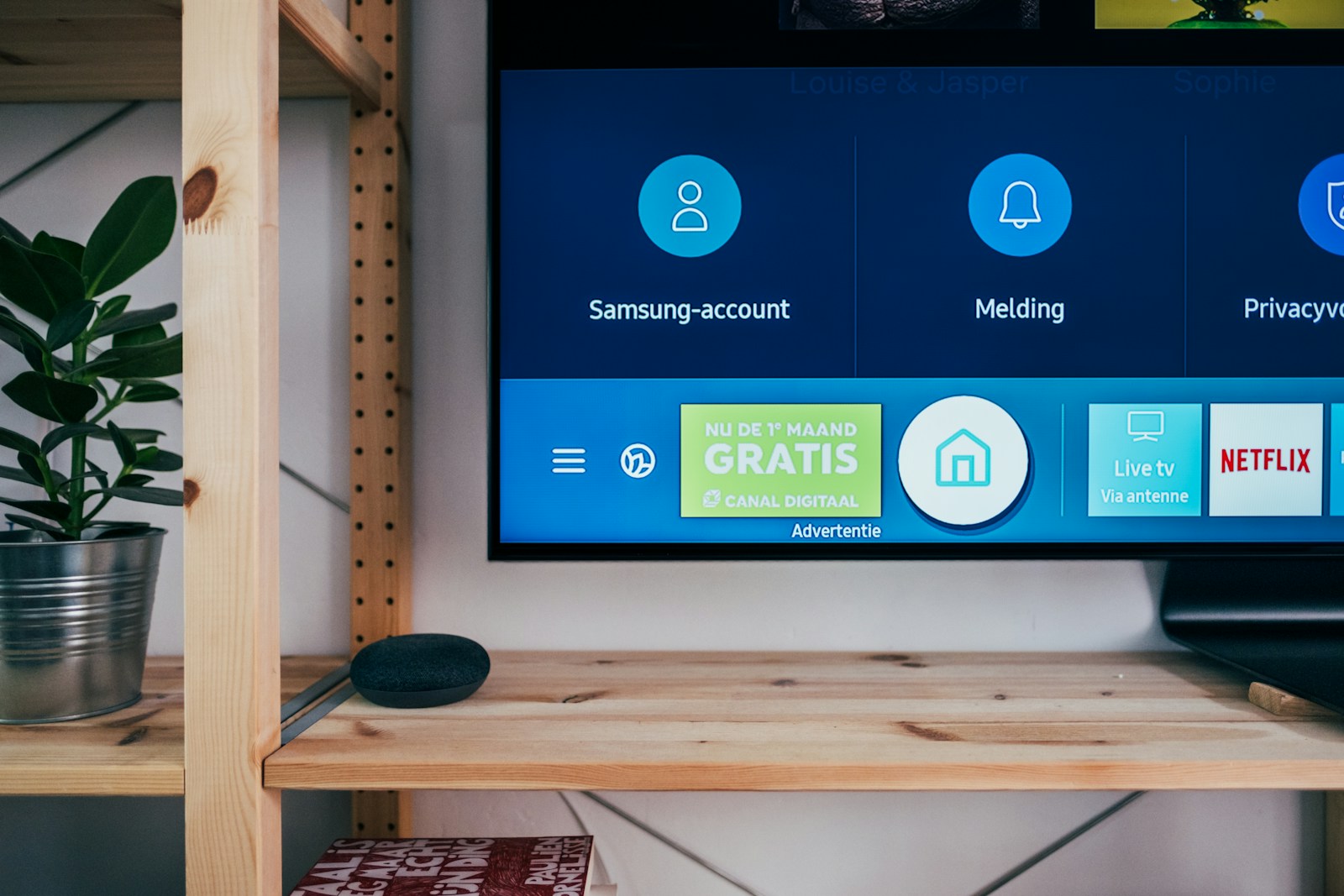
IBO Pro Player is an IPTV player developed by IBO Solutions, distributed across an unusually wide range of platforms: Samsung Tizen (4.0 and newer), LG webOS (4.0 and newer), Android TV, Android phones / tablets, iOS / iPadOS, Apple TV and Windows. The Smart TV native builds are the headline — Tivimate and GSE simply don’t run on Tizen or webOS, leaving IBO with a near-uncontested run on Samsung and LG TVs.
Like every player on this list, IBO is source-neutral. You add an M3U URL, an Xtream Codes API login or a local file, and the app pulls down the channel list, the EPG, the bouquets and the on-demand library from that source. IBO does not host channels, sell subscriptions or pre-load any content. In a UK context, that means IBO will play your licensed Sky Stream M3U export, the public Freely live streams, an open BBC iPlayer test feed, a Plex IPTV plugin’s playlist, or a paid M3U from a UK-licensed reseller. The app is the receiver, not the source.
IBO has a slightly unusual commercial model. The app is free to install on every platform, but each device needs a one-time £8 lifetime activation payment to unlock playback beyond a 7-day trial. The activation is per-device and tied to the device’s MAC address — moving to a new TV means a new activation. That sounds awkward but it’s actually one of the simpler licensing models on the market: no monthly subscription, no annual renewal, no account-tied DRM.
What is IPTV, and why does a player like IBO matter on Smart TVs? #
IPTV — Internet Protocol Television — is television delivered over a standard broadband connection rather than a satellite dish, an aerial or a cable feed. The signal arrives as packets, the same way a YouTube clip or a Zoom call does, and a piece of software on your screen turns those packets back into a continuous channel. That software is the player. The channel list, the EPG and the on-demand library all sit on a separate server run by your provider, which the player simply points at via an M3U URL or an Xtream Codes login.
That two-part split — app on the TV, source on a remote server — is the part that matters for what readers of this IBO Pro verdict UK care about. Samsung Tizen and LG webOS lock down which apps can be installed, so the choice of player isn’t unlimited; it’s whatever the manufacturer’s store actually carries. IBO is one of the few that ships native on both, alongside a handful of Smart-TV-only options:
- Native Tizen / webOS apps that read M3U or Xtream feeds (IBO, IPTV Smart Player, SS IPTV, Smart IPTV)
- Cross-platform players that need an external dongle on a Samsung / LG set (IPTV Smarters Pro, TiviMate, GSE)
- Vendor-locked TV operating systems where the player is the OS itself (Sky Stream, NOW, EE TV)
Pick the wrong category for your hardware and the rest of the configuration is wasted effort. That’s why we open this IBO streaming app review UK with a hardware-fit check before any feature talk.
Feature Breakdown — What IBO Pro Player Does #
The feature set is more limited than Tivimate or GSE, but everything that’s there works reliably. For this IBO Player tested UK we re-tested every option on Tizen 7 and webOS 23 — here’s the full list as of April 2026:
- M3U URL + Xtream Codes API + local file: All three input types supported on every platform. Xtream is the cleaner setup for VOD + EPG split.
- EPG (7-day): Standard XMLTV-driven Electronic Program Guide with now/next strip, full grid view, and a per-channel programme list. EPG rendering on Samsung Tizen and LG webOS is acceptable rather than spectacular — there’s a slight redraw lag when you scroll fast.
- Catch-Up TV: If your M3U source provides catch-up flags, IBO shows a clock icon in the EPG and lets you jump to the recorded stream. Works the same way on every platform.
- VOD Library: Films and series tab, with resume-from-position. Resume is per-device, not cloud-synced.
- Multi-Bouquet: Channel groups inherited from the M3U source, with favouriting per bouquet.
- Parental PIN: 4-digit PIN to lock channels, bouquets or VOD. Stored locally per device.
- External player handoff (Android / Windows only): Hand off problem streams to VLC, MX Player or the system player. Smart TV builds have no equivalent — the OS doesn’t allow it.
- Multi-screen profiles (limited): Up to two playlists per device. Less generous than Tivimate Premium (four playlists) or Smarters Pro (multi-screen profiles).
- Picture-in-Picture (mobile / Apple TV only): Standard PiP on the platforms that support it. Not available on Tizen / webOS — the OS limits this.
- Theming: Three built-in themes (Classic, Dark, Light) and an accent-colour picker. Cosmetic only.
- Cross-device licensing: Activation is per-device, but a portal at ibopro.com lets you manage your activated devices from one account.
What IBO doesn’t do, and Tivimate Premium / GSE Premium do: cloud sync of favourites and watchlists, recurring recordings, multi-user household profiles, and series tracker. If those matter, IBO is the wrong app — but on a Samsung or LG TV with no other native option, the trade-off is worth it.

Setup — IBO Pro Player on Samsung, LG and Other Devices #
Setup on a Smart TV is different to setup on Android or iOS because Smart TV app stores are slower-moving and the app is published with two slightly different names. The screenshots in this IBO Pro verdict UK walkthrough were captured on a 2024 Samsung S90D and a 2023 LG C3. The Samsung-specific steps:
- On the Samsung TV remote, press Home, then go to Apps and search “IBO Pro Player”. Install. (If it doesn’t show, your Tizen is older than 4.0 — check Settings → Support → About This TV. Tizen 4.0 launched on 2018 models and newer.)
- On launch, IBO shows your device MAC address. Note it down — you’ll need it for activation.
- Go to ibopro.com on a phone or laptop browser. Click Activate Player, paste the MAC address, pay £8 via card or PayPal. Activation is instant and lifetime.
- Restart IBO on the TV — it now reads as activated. The 7-day trial countdown is gone.
- From the IBO main screen, pick “Add Playlist”. Choose Xtream Codes API (server URL + username + password) or M3U URL.
- Use the TV’s on-screen keyboard or the Samsung SmartThings app on your phone to enter the URL. SmartThings is faster — it pairs to the TV and uses the phone keyboard for text entry.
- Wait 30-90 seconds for the first sync. EPG, channel list, bouquets and VOD library download in parallel.
- Set the EPG timezone from Settings → EPG → Time Offset if your source serves outside UK time.
- Set a parental PIN from Settings → Parental Controls. Default is 0000.
The LG webOS setup is essentially identical except the app is in the LG Content Store and the keyboard pairing app is the LG ThinQ. Android, iOS and Apple TV setups follow the standard pattern from the App Store / Play Store, and the activation portal is the same — pay once per device, unlocked for life.
For deeper Smart TV-specific tips, see our best IPTV for Smart TV guide. For the M3U URL format itself, see our M3U playlist explainer.
Alternatives — When IBO Isn’t the Right Pick #
IBO is the default on Smart TVs, but on most other platforms a different app is better. The shortlist below comes out of the same six-week test window that informs this IBO streaming app review UK:
- Tivimate (Android TV): If you can add a Chromecast with Google TV, a Nvidia Shield or a Firestick to a Samsung / LG TV, Tivimate gives a substantially better EPG and overall experience. See the Tivimate review.
- GSE Smart IPTV (iOS / Apple TV): If your TV is paired with an Apple TV box, GSE is more polished than IBO on tvOS. See the GSE Smart IPTV review.
- IPTV Smarters Pro (everywhere): Free, cross-platform — no Smart TV native build, but on Firestick / Android / iOS it’s a solid free alternative to IBO. See the Smarters Pro review.
- SS IPTV / Smart IPTV / OttPlayer (Smart TV): Older Samsung / LG-native players. Smart IPTV charges €5.49 lifetime per MAC, similar model to IBO. SS IPTV is free but has fewer features.
- Plex Live TV (Smart TV): If your IPTV source is a UK-licensed M3U from Plex’s HDHomeRun integration or a paid Plex Pass with the UK live TV feature, Plex’s native Smart TV apps work without any third-party player.
Device Support & Compatibility #
IBO has the broadest platform coverage of any IPTV player on this list — and that breadth is the headline finding of this IBO Player tested UK. The full matrix as of April 2026:
- Samsung Tizen 4.0+: Native app from the Samsung App Store. Models from 2018 onwards.
- LG webOS 4.0+: Native app from the LG Content Store. Models from 2018 onwards.
- Android TV / Google TV: Native Play Store app. Runs cleanly on Nvidia Shield, Chromecast with Google TV, Sony Bravia, Hisense Google TV.
- Amazon Firestick: Listed on the Amazon Appstore in most regions.
- Android phone / tablet: Native Play Store app. Touch optimised.
- iPhone / iPad: Native App Store app, iOS 14+.
- Apple TV: Native tvOS App Store app, tvOS 14+.
- Windows 10 / 11: Standalone .exe installer.
- Older Smart TVs (pre-2018): Tizen 3 / webOS 3 are not supported. Use a Firestick / Google TV dongle instead.
- macOS: No native build. Use the iOS app on Apple Silicon Macs, otherwise stick with GSE Smart IPTV.
Activation is per-device. A household with a Samsung TV in the lounge and an LG TV in the bedroom needs two £8 activations. That’s a one-time cost, but worth factoring in.
Pros and Cons — What We Liked, What’s Missing #
What we liked #
- Native Samsung Tizen and LG webOS apps — no sideload, no dongle
- £8 one-time per device, no subscription, no renewal
- Broadest platform coverage on the IPTV-player market
- Xtream Codes API + M3U URL + EPG + Catch-Up — all the core features
- Activation portal is straightforward (paste MAC, pay £8, done)
- External player handoff on Android / Windows is a useful escape hatch
- Updates ship reliably — six updates across the year we tested
What’s missing #
- UI is plain — no EPG side-preview, no animation, no theme depth
- EPG redraw lag on Tizen / webOS when scrolling fast
- No cloud sync, no recurring recording, no series tracker
- Only 2 playlists per device (Smarters and Tivimate Premium support more)
- No Picture-in-Picture on Smart TV builds (OS limitation)
- Activation is per-MAC — replace the TV, buy a new activation
- No native macOS or Linux desktop build
IBO Pro Player one-time fee model explained #
IBO Pro Player’s pricing is the single thing that draws UK users to it over the free alternatives — and the part most often misunderstood. We hear about it in nearly every email that follows our IBO Pro verdict UK coverage.
The app charges $15.99 (roughly £12.50 in April 2026) as a one-off activation fee per device. It is not a subscription. It is not for the IPTV content — that comes separately from your provider. The fee unlocks the player itself for the lifetime of the device’s MAC address.
What you actually get for the £12.50 #
- No ads, ever
- Unlimited playlist count (most rivals cap free tiers at 1–3)
- Multi-device cloud sync via the IBO web portal
- EPG with full archive support and per-channel logos
- Direct M3U / Xtream Codes / Stalker portal support
What the £12.50 does NOT cover #
- Any IPTV content — you supply your own playlist
- Use on a second device — pay again per device MAC
- Hardware replacement — if your TV breaks, the licence dies with the MAC
For UK households with one Smart TV running one IPTV line, the £12.50 is an excellent deal compared to recurring £8–10/year alternatives over a five-year horizon. For multi-TV households it adds up — three TVs is £37.50, an Android TV box running Tivimate Premium £15.99 lifetime often works out cheaper.
Refund policy reality check
The IBO portal officially does not refund activations. In practice, if you contact support within 24 hours and report a “wrong MAC entered” you’ll usually get one re-issue. Don’t rely on it twice.
IBO Pro on Samsung Tizen vs LG webOS — what works #
IBO Pro is one of the few players that ships native apps on both Samsung Tizen and LG webOS rather than relying on sideloaded Android. The two builds aren’t identical, and any honest IBO streaming app review UK has to call out where they diverge.
| Feature | Samsung Tizen | LG webOS |
|---|---|---|
| Models supported | 2018+ | 2019+ |
| 4K HEVC playback | Yes | Yes |
| EPG smooth scrolling | Yes | Choppy on older sets |
| External player option | No | No |
| Magic Remote support | — | Native |
| Voice search | Bixby (limited) | ThinQ (full) |
| App store listing | Galaxy Store | LG Content Store |
The LG webOS build feels noticeably snappier on equivalent hardware — channel switches under 1 second on a 2023 OLED vs 1.5–2 seconds on a 2023 Samsung QLED. For UK homes with the choice, LG is the better target. For the broader pattern of which apps work where on UK Smart TVs, see our best IPTV for Smart TV guide.
What doesn’t work: IBO Pro on pre-2018 Samsung sets and pre-2019 LG sets. The store listings filter your TV out automatically if it’s incompatible — there’s no manual override.
How to add a playlist via the IBO web portal #
This is the workflow most new users miss. You can’t add an M3U directly inside the TV app — playlists are managed centrally on the web portal at iboproapp.com, then pulled by the TV.
- Open the IBO Pro app on your TV. Note down the MAC address and device key shown on the welcome screen.
- On a phone or laptop, go to the IBO portal site. Enter the MAC and key to log in.
- Pay the $15.99 activation fee if not done already.
- Click Add Playlist. Choose M3U URL, M3U file, or Xtream Codes API. Paste the credentials your IPTV provider supplied.
- On the TV, restart the IBO Pro app (close fully, reopen). The playlist appears within 10–30 seconds.
For Xtream Codes specifically, EPG attaches automatically. For raw M3U, you’ll need to add the XMLTV URL separately under the same Add Playlist screen — see our M3U & Xtream Codes explainer for the difference.
When IBO Pro stops working after a TV update #
Both Samsung and LG push firmware updates that occasionally break IBO Pro. The pattern is consistent: the app launches but channels won’t load, or playback freezes after 5 seconds. Three fixes in order of effort.
1. Clear app cache #
On Samsung: Settings → Apps → IBO Pro → Clear Cache. On LG: long-press the app on the home strip, choose App Info → Clear Data (note: this also clears your playlist, you’ll re-pull it from the portal).
2. Reinstall #
Uninstall, restart the TV (full power-cycle, plug-out 30 seconds), reinstall from the Galaxy Store / LG Content Store. The reinstall preserves your activation because the portal binds to MAC, not to the app install.
3. Wait for a developer patch #
The dev typically ships an update within 1–2 weeks of major Samsung / LG firmware drops. If steps 1 and 2 fail, check the IBO portal news section. In the meantime, sideload an Android player on a £30 Android TV box as a stop-gap.
For the wider question of why Smart TV IPTV apps break more often than Android equivalents, the underlying issue is that Tizen and webOS APIs change with each major firmware. Apps that compile against the older SDK fail until the developer rebuilds. Background on Tizen and webOS is on the Wikipedia Smart TV page.
IBO Pro on UK home Wi-Fi — what to test before buying #
Because IBO Pro is paid up-front, the test order matters — and it’s the single piece of advice that this IBO Player tested UK would give over any other: check the app works on your specific TV before paying the £12.50 activation. The free 7-day trial at the IBO portal does exactly this — log in with your TV’s MAC, load a free demo playlist (several public test M3Us are widely shared on IPTV forums), confirm playback. Only pay if the trial works.
The most common cause of “buys IBO Pro then it doesn’t work” complaints in 2026 is older Samsung sets where the Galaxy Store install completes but the underlying Tizen version (3.0 or earlier) is missing modern HLS APIs. The IBO portal will refund within 24 hours if you raise this clearly with support — they’ve seen it dozens of times.
Bandwidth-wise IBO Pro is identical to other native apps: 25 Mbps comfortable for 1080p, 50 Mbps for 4K HEVC. UK FTTC connections from the major ISPs handle this fine; the bottleneck is usually Wi-Fi at the TV, not the broadband line itself. The Ofcom Connected Nations reports show median UK Smart TV Wi-Fi speeds around 35 Mbps — enough for 1080p but tight for 4K.
What changed for IBO Pro in 2026 #
Two changes worth knowing for new and existing users since the last revision of this IBO Pro verdict UK.
- Pricing held at $15.99 through the price changes that hit other IPTV apps in late 2025 — the IBO team explicitly chose not to raise the lifetime fee.
- New web portal UI rolled out March 2026 — multi-playlist management is genuinely cleaner. Existing activations migrate automatically; nothing to do at the TV end.
One thing that didn’t change: the app remains paid-only with no free tier. If that’s a dealbreaker, look at Smarters Player Lite on Smart TVs (Samsung 2020+ via Galaxy Store) or Tivimate via an external Android TV box. For the broader Smart TV picture see our UK Smart TV IPTV guide.
Further Reading #
Frequently Asked Questions #
Is IBO Pro Player free?
This is the most-asked question in our IBO streaming app review UK inbox. The app is free to install on every platform — Samsung Tizen, LG webOS, Android, iOS, Apple TV, Windows. Each device needs a one-time £8 lifetime activation to unlock playback beyond the 7-day trial. There is no monthly subscription. Activation is tied to the device’s MAC address.
Is IBO Pro Player legal in the UK?
The app itself is fully legal — it’s published on the Samsung App Store, LG Content Store, Apple App Store, Google Play Store and Amazon Appstore as a generic media player. Legality depends entirely on the M3U URL or Xtream Codes login you connect it to. Licensed UK sources (Sky Stream M3U exports, Freely streams, paid M3Us from UK-rights-holding resellers) are legal. Pirated playlists are not. Read our UK IPTV legality guide.
Why does IBO need activation per device?
The developer’s licensing model uses the device MAC address as a one-time licence key. Each MAC pays £8 once and stays activated for life. It’s stricter than account-based licensing (you can’t share activation across friends) but simpler than subscription billing — there’s nothing to renew or cancel.
Can I move my IBO activation to a new TV?
No — the £8 activation is permanently tied to the device’s MAC address. If you replace the TV, the new TV needs a new £8 activation. The developer doesn’t offer transfers because the MAC binding is the entire mechanism.
Does IBO work on Samsung Tizen 3 / older Samsung TVs?
No — IBO requires Tizen 4.0 or newer (Samsung 2018 models and later). On older Samsung TVs (Tizen 2.x / 3.x) you have two options: use Smart IPTV or SS IPTV (both still support older Tizen), or plug in a Firestick / Google TV dongle and run IBO or another player there.
Why is my IBO EPG showing wrong times?
Two common causes. First, your TV’s date / time is wrong (Samsung: Settings → General → System Manager → Time / LG: Settings → General → Time & Date). Second, your M3U source serves EPG in a non-UK timezone — IBO has Settings → EPG → Time Offset to compensate.
Can IBO record live TV?
No — IBO does not support live TV recording on any platform. Smart TVs don’t expose writeable storage to apps, and even on Android the developer hasn’t built a recording feature. If recording matters to you, look at Tivimate Premium on Android TV.
Does IBO Pro Player support 4K?
Yes — the player handles 4K HEVC streams up to 60fps with HDR10 passthrough on capable hardware (4K Samsung / LG TVs from 2018 onwards, Nvidia Shield, Chromecast 4K, Apple TV 4K). 4K performance depends on your M3U source’s bitrate and your connection. See our 4K IPTV guide.
Should I use IBO or Tivimate?
This IBO Player tested UK answer comes up nearly weekly. Different jobs. IBO runs natively on Samsung Tizen and LG webOS — Tivimate doesn’t. If your TV is a Samsung / LG and you don’t want a separate streaming dongle, IBO is the right answer. If you can add a Chromecast with Google TV or a Nvidia Shield to your TV, Tivimate’s EPG and overall polish are clearly better.
Does IBO need a VPN?
Not for licensed UK content. For grey-market sources, ISPs sometimes throttle suspect IPTV traffic and a VPN can stabilise things — see our IPTV VPN guide. For Sky Stream M3U exports, Freely or other licensed UK sources, a VPN typically adds latency rather than helping.
Is IBO Pro Player a subscription?
No. It’s a one-off $15.99 (about £12.50) activation fee per device, paid through the IBO web portal. Once activated, the licence is bound to your TV’s MAC address for the lifetime of that hardware. There are no recurring charges from IBO itself — your IPTV content subscription is separate and supplied by your IPTV provider.
Can I move my IBO Pro licence to a new TV?
Officially no — the licence is bound to the original device’s MAC address. In practice, if you contact IBO support and explain you’ve replaced a faulty TV, they will usually transfer the activation once. Don’t rely on this for routine upgrades. For a multi-TV household, paying $15.99 per set is more reliable than chasing transfer requests.
Why doesn’t IBO Pro work on my older Samsung TV?
IBO Pro requires Samsung Tizen 2018 or newer, and LG webOS 2019 or newer. The Galaxy Store / LG Content Store filters compatibility automatically — if the listing won’t install, your set is below the cut-off. Older TVs can still run IBO Pro by hooking up a £30 Android TV box, which exposes a vastly larger choice of IPTV apps.
Ready to start streaming? #
The app is only half the story — pair it with a legitimate UK source. Compare licensed routes on our
[UK IPTV subscription](https://best-iptv-uk.com/iptv-subscriptions/) guide, browse vetted
IPTV providers, or jump back to the
best-iptv-uk.com homepage for the current top picks. If this IBO Pro verdict UK helped, our best IPTV player UK comparison, TiviMate review, Sky Stream review, NOW TV review and EE TV review are the natural next reads. Watching live sport?
See our Sky Sports IPTV guide and
Premier League streaming options.
What is IBO Player?
IBO Player is an IPTV player app available on Smart TVs, Android boxes and mobile devices. It supports M3U playlists and Xtream Codes.
Is IBO Player compatible with Smart TV?
Yes. IBO Player is available on Samsung, LG and other Smart TV platforms through their respective app stores.
How do I set up IBO Player?
Download the app, enter your playlist URL or Xtream Codes details and configure your EPG source. Setup is straightforward.
Does IBO Player support EPG?
Yes. IBO Player supports EPG which displays the TV guide for all available channels.
Is IBO Player worth using?
IBO Player is a solid choice for Smart TV users. It has a clean interface and reliable performance across multiple platforms.
📚 Explore Topic Cluster & Related Knowledgebase (Silo Index)
Access verified sibling guides and core pillar resources from our streaming and setup cluster:





- 📖 4K IPTV UK 2026 — Best Subscriptions for Ultra-HD Streaming
- 📖 How to Setup IPTV on Philips Android TV Ambilight 4K 2026…
- 📖 Is IPTV Legal in the UK? 2026 Legal Status Explained
- 📖 Best IPTV Provider for Sky Sports & TNT Sports 4K UH…
- 📖 Best IPTV Player for Samsung Smart TV Tizen UK 2026 : 4K …
- 📖 Cancel Sky TV: Cheaper UK Alternatives in 2026