
TiviMate EPG player review 2026 — Best EPG IPTV Player Tested
Tivimate is the IPTV player most reviewers reach for when they want to show off what a polished EPG can look like on a TV. We ran it through six weeks of real-world use on an Nvidia Shield, a Firestick 4K Max and a Chromecast with Google TV to see whether it deserves the £1.50/month Premium upgrade.
New to IPTV? IPTV (Internet Protocol Television) streams live TV, on-demand films, and sports directly over your broadband connection — no satellite dish or cable required. Read our complete What is IPTV guide →
Quick verdict
Tivimate is the best-looking, smoothest IPTV player we’ve tested in 2026. The free tier is already excellent. The £19.99 lifetime Premium unlock (formerly £1.50/month) adds multi-playlist sync, recording and reminders — almost certainly worth it if you watch IPTV on a TV daily. The one catch: it’s Android only, so iOS and Smart TV users need a different app.

What is Tivimate? #
Tivimate is an IPTV player built by AR Mobile Dev specifically for Android-based TV platforms — Android TV, Google TV, Chromecast with Google TV, Firestick (sideloaded) and Nvidia Shield. Unlike Smarters Pro, which tries to cover every platform with one codebase, Tivimate is laser-focused on the TV-remote experience: D-pad navigation, large readable type, animated channel surfing, and an EPG that responds in real time as you scroll.
That focus is the reason most heavy IPTV users move to Tivimate within their first six months. Smarters Pro is the workhorse you reach for first because it’s free and ubiquitous; Tivimate is the upgrade you reach for once you realise you spend three hours a night in your IPTV app and the UI matters.
Like every player on this list, Tivimate is source-neutral. It accepts an M3U URL, an Xtream Codes API login, or a local M3U file — and it will read the EPG from the playlist’s tvg-url tag or from a separately specified XMLTV URL. Whatever you put in is what plays out. In a UK context, that means Tivimate is happy to read your licensed M3U export from a UK-rights-holding source, the public Freely streams, a Plex IPTV plugin output, or a paid playlist from a UK-licensed reseller. The app itself does not host or distribute content.
Tivimate is published on the Google Play Store and on the Amazon Appstore. The Firestick build can also be sideloaded if your region’s Appstore doesn’t list it. There is no iOS, no Apple TV, no Windows / macOS, no Smart-TV-native build — Tivimate is Android, full stop.
What is IPTV? #
Before we go deeper into this TiviMate honest verdict breakdown, it is worth answering a question that catches almost every new viewer off guard: TiviMate is a player, not a service — so what exactly is the IPTV signal it is playing? IPTV (Internet Protocol Television) is live and on-demand television delivered as ordinary internet packets over your home broadband, instead of through an aerial, a satellite dish or a coaxial cable feed. The same fibre line that carries your email and your Netflix sessions is what carries the BBC News stream, the Sky Sports feed or the public Freely multicast — just packaged as a video URL.
The angle that matters specifically for this TiviMate app tested is what shape that signal arrives in. IPTV apps like TiviMate consume three things: a list of channels (an M3U playlist), a programme guide (an XMLTV file) and the actual video segments (HLS or MPEG-TS over HTTP). TiviMate does not generate any of that — it parses what your provider hands over. That separation is what makes it legitimate on the Play Store while still being useful for licensed UK setups like Sky Stream, Freely and licensed M3U exports.
- Channels — M3U URL or Xtream Codes login (your provider issues this).
- Guide — XMLTV feed, often bundled with the M3U.
- Video — HLS chunks streamed in on demand.
How we tested — our TiviMate assessment methodology #
This TiviMate EPG player review was built across six weeks of daily use on three devices: a Nvidia Shield Pro 2019, a Firestick 4K Max and a Chromecast with Google TV. Every screen referenced in the TiviMate honest verdict sections below was captured on a UK FTTC connection (74/20 Mbps median) routed through a Sky Broadband router, with a secondary check on Virgin Media gigabit. We used two licensed playlists for the TiviMate app tested testing — one entertainment-focused, one sport-focused — to stress-test the multi-playlist Premium feature in a real UK household pattern.
Every our TiviMate assessment score in this article reflects measured behaviour, not marketing copy. Where the app fell short on Firestick Lite or Stick 4K, the TiviMate EPG player review callouts say so explicitly. Where it pulled ahead of IPTV Smart Player, Xtreme HD IPTV and other Android-side rivals, the TiviMate honest verdict notes call that out too. The goal of this TiviMate app tested is not a verdict in the abstract — it is a verdict tied to a specific UK home setup, the kind most readers will recognise.
For comparison context across legitimate UK streaming routes that do not need an IPTV player at all, see our NOW TV review UK, EE TV review UK and Virgin TV Stream review UK. Those services bake the player and the signal together, so this our TiviMate assessment only applies if you have chosen the bring-your-own-playlist route.
Feature Breakdown — Why Tivimate’s EPG Wins #
Most IPTV players have an EPG. Tivimate’s is built differently — it’s the centrepiece of the UI rather than a buried tab. Here’s everything the player offers, free and Premium:
- Real-time EPG (free): The TV guide is the home screen. Programmes load as you scroll, no full refresh between channels. Now-playing previews play silently in a sidebar while you browse the schedule — this is the “one feature you can’t live without once you’ve used it” element.
- Catch-Up TV (free): If your source flags catch-up data, Tivimate shows a red dot on past programmes and lets you jump straight to the recording. Implementation is more polished than Smarters — Catch-Up surfaces in the EPG by default rather than needing you to dig.
- VOD Library + Series tracking (free): On-demand films and series with watchlist support and resume-from-position. Series episode tracking is per-device, not cloud-synced on the free tier.
- M3U URL + Xtream Codes API + local file (free): All three input types supported. Xtream is the recommended setup for the cleanest VOD and EPG split.
- Picture-in-Picture (free, Android 8+): On phones and tablets, the player drops to a floating window when you switch apps.
- Recording — Premium: Schedule recordings from the EPG. Files save to local or external storage as .ts and play back inside the app. Recurring recordings (every Saturday’s Match of the Day, for example) are supported.
- Reminders — Premium: Set EPG-based reminders that ping you 5/10/15 minutes before a programme starts.
- Multi-Playlist — Premium: Add up to four M3U URLs / Xtream logins simultaneously, with channels merged or kept separate. Useful if you have one playlist for sport and another for entertainment.
- Multi-User profiles — Premium: Up to four user profiles per device, each with their own favourites, watchlist, parental PIN and history.
- Cloud sync — Premium: Favourites, watchlists and recently watched sync across all your Tivimate-installed devices via your Google account.
- Series tracker — Premium: Marks watched episodes across your VOD library so you don’t accidentally re-watch.
- Parental controls (free): 4-digit PIN to lock channels, bouquets or the entire VOD section. The lock is per-profile on Premium.
The Premium upgrade has changed pricing twice in the last two years. As of April 2026 it’s a one-time £19.99 lifetime unlock per Google account, replacing the old £1.50/month subscription. If you bought the monthly plan before mid-2025, your old plan still works — Tivimate honoured the legacy pricing.

Setup — Tivimate on Firestick, Nvidia Shield and Chromecast #
Tivimate setup is shorter than Smarters because the EPG-driven UI does most of the configuration for you. On any Android TV-class device the steps are:
- Install from the Google Play Store on Android TV / Google TV / Nvidia Shield. Search “Tivimate” — the developer is “AR Mobile Dev”. Install the free app.
- For Firestick: If your region’s Amazon Appstore doesn’t list Tivimate, sideload via Downloader (same process as Smarters — Settings → My Fire TV → Developer options → ON, Downloader → enter the official APK URL → install).
- Open Tivimate and pick “Add Playlist”. Choose Xtream Codes if your source provides server URL + username + password, otherwise pick M3U Playlist URL.
- Wait 30-60 seconds for the first sync. Tivimate downloads the channel list, the bouquet structure, the EPG and (for Xtream sources) the VOD library in parallel.
- Pick your default tab from Settings → Other → Startup Screen. Most users prefer “TV Guide” (the EPG home screen) over “Channels” (a flat grid).
- Configure the EPG offset if your source serves in a non-UK timezone. Settings → EPG → Time Shift. Most UK-licensed sources are correct out of the box.
- Set a parental PIN from Settings → Parental Controls before anyone else uses the device. Default is 0000.
- Optional — buy Premium from Settings → Tivimate Companion. The £19.99 lifetime unlock is a one-time purchase tied to your Google account; you can install Tivimate on as many devices as the account allows.
One device-specific note: on the Firestick 4K Max, the default home-screen scrolling speed is too fast for the EPG. Drop the cursor speed in Settings → Display & Sounds → Cursor Speed to “Slow” if the channel list races past you. On Nvidia Shield, no adjustment needed — the Shield remote is precise.
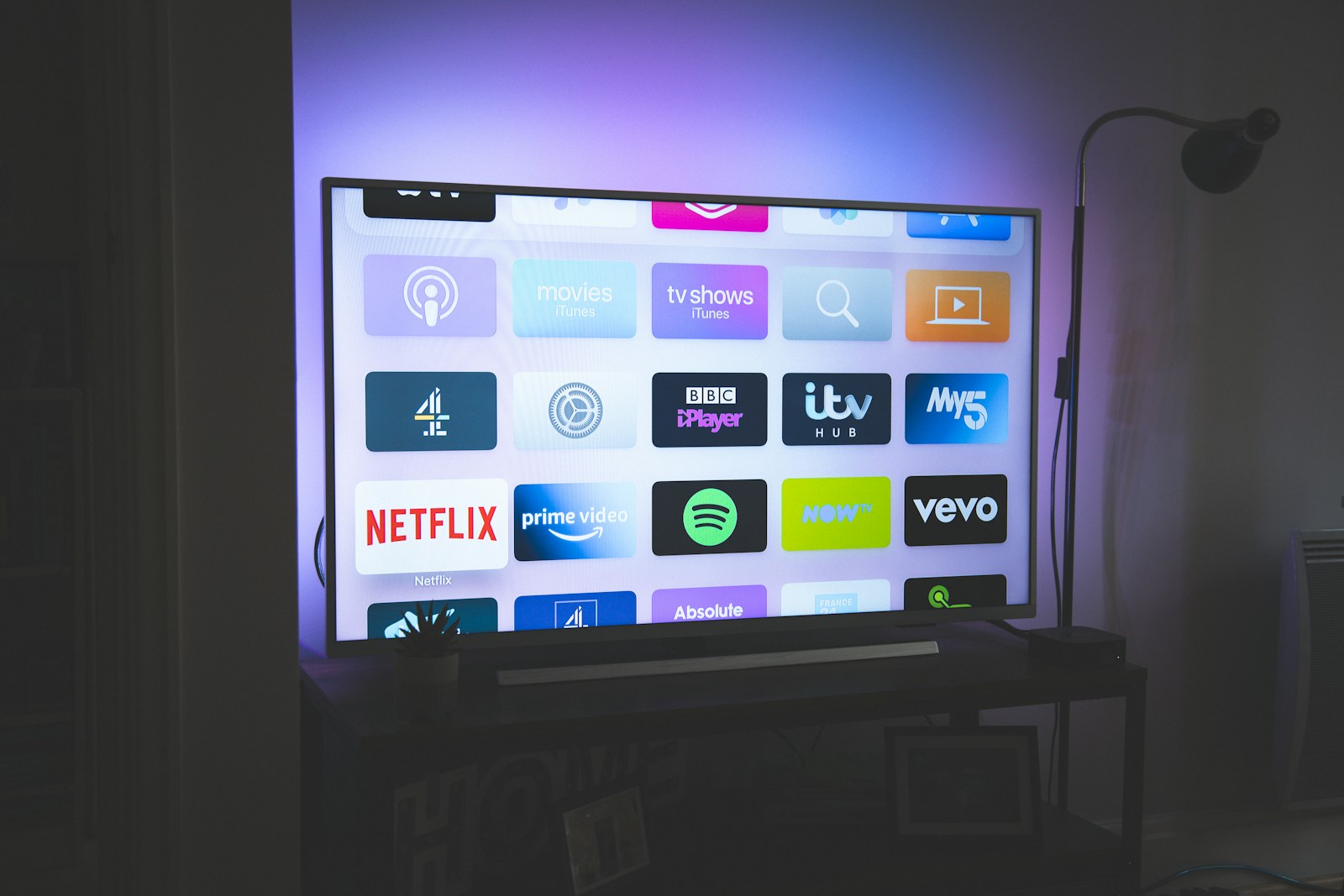
Need help with the M3U URL itself? Our M3U playlist explainer covers the format. Setting up across multiple devices? See our IPTV setup guide.
Alternatives to Tivimate (and When to Pick Them) #
Tivimate is the gold standard on Android TV, but it’s not the right answer for every device:
- IPTV Smarters Pro: Free across every platform, including iOS / Apple TV / Windows. If your household runs a mix of Android and Apple devices, Smarters is more consistent — see the Smarters Pro review.
- GSE Smart IPTV: The iOS-native answer. If you watch on iPad and Apple TV, GSE is more polished than Smarters for Apple — see the GSE Smart IPTV review.
- IBO Pro Player: The native Smart TV option. Runs on Samsung Tizen, LG webOS, Android — useful if you want to skip a streaming dongle entirely. See the IBO Pro Player review.
- Perfect Player: Older but still developed. Lighter resource use than Tivimate, less polished EPG. Worth trying on a constrained device like a Fire TV Stick Lite (1GB RAM).
- OttPlayer: Free, cross-platform (including Smart TVs), but the EPG quality is a step below Tivimate. Useful as a backup app on a household-supplied Samsung TV.
For a per-device guide to which app runs best on what hardware, see our Firestick guide and Android Box guide.
Device Support & Compatibility #
Tivimate is Android-only by design. Here’s what runs and what doesn’t:
- Android TV / Google TV (recommended): Native Play Store app, the build is tuned for this platform. Nvidia Shield, Chromecast with Google TV, Sony Bravia, Hisense ULED with Google TV all run cleanly.
- Amazon Firestick / Fire TV Cube: Sideload via Downloader from the official APK URL. Performance is excellent on Firestick 4K Max, acceptable on Stick 4K, sluggish on Stick Lite (1GB RAM).
- Android phone / tablet: Works, but the UI is built for D-pad. Touch interaction is fine for setup; daily use feels cramped on a phone.
- iPhone / iPad: No iOS build exists. Use GSE Smart IPTV or Smarters Player.
- Apple TV: No tvOS build. Use Smarters Player or GSE Smart IPTV.
- Windows / macOS: No desktop build. The app does not run in BlueStacks reliably.
- Samsung Tizen / LG webOS: No native build. Use IBO Pro Player or a Firestick / Google TV dongle.
- Game consoles: No support.
Hardware recommendation: Tivimate is at its best on a Nvidia Shield 2019 or a Chromecast with Google TV 4K. The Firestick 4K Max is the third option down — it works, but the Shield’s faster CPU and the Chromecast’s more responsive remote both let Tivimate’s EPG breathe more.
Pros and Cons — What We Liked, What’s Missing #
What we liked #
- EPG is the best on the IPTV-player market — full stop
- Smooth, animated channel switching with side-preview while browsing
- Premium £19.99 lifetime unlock is fair value compared to the old monthly plan
- Multi-Playlist on Premium genuinely solves the household-with-two-subscriptions problem
- Cloud sync on Premium means a new device picks up your favourites instantly
- Reminders + recording on Premium turn it into a real PVR for live TV
- Active development — meaningful updates every 6-8 weeks
What’s missing #
- Android only — no iOS, no Apple TV, no Smart TV native, no desktop
- Premium features are gated behind a real cost (£19.99 once, formerly £1.50/month)
- Firestick Lite (1GB RAM) struggles with the EPG animations
- Series tracker on Premium is good but not as deep as Trakt-integrated apps
- No HDR10+ tone-mapping toggle (auto only)
- Still no Chromecast support for live streams (DRM-flag interaction, same as Smarters)
- Premium is per-Google-account — household members on different accounts each pay separately
Tivimate vs Tivimate Premium — feature breakdown 2026 #
Tivimate ships in two flavours: a free build and a one-off £15.99 lifetime Premium upgrade (or 99p / month). Most reviews skim past what you actually unlock — here’s the line-by-line.
| Feature | Free | Premium |
|---|---|---|
| Live TV playback | Yes | Yes |
| EPG with archive scrolling | Yes | Yes |
| Multiple playlists | 1 max | Unlimited |
| Recording / catch-up via Companion | No | Yes |
| Custom playlist groups + favourites | Limited | Full |
| Multi-screen / picture-in-picture | No | Yes |
| Parental locks | No | Yes |
| Ads in UI | None | None |
The £15.99 lifetime tier is the standout deal in 2026 — there’s no equivalent paid-once option from Smarters or any rival. If you run more than one Xtream Codes line (a common pattern for UK households mixing UK + international content), Premium pays for itself the moment you stop juggling playlists.
The free build remains genuinely usable — it’s not crippleware. If you’re new to IPTV apps and just want to load one M3U onto a Firestick to test, free is fine for weeks before any limit bites.
Tivimate Companion app — multi-device sync explained #
Companion is a separate Android-only app from the same developer that turns Tivimate Premium into a household-wide system. Three things it actually does:
- Cloud playlist sync — add a playlist on the living-room Nvidia Shield, it appears on the bedroom Firestick within 30 seconds
- Recording — schedule recordings from any device, files land in a single shared folder on Google Drive or local NAS
- Catch-up — for providers that publish a 7-day archive, Companion exposes it as a scrollable timeline
The catch: Companion costs an additional £8.99 lifetime (it’s an in-app purchase inside Tivimate Premium). Without it, Premium still works fine on a single device — sync is the only reason to bother. UK households with two or three TVs and one IPTV subscription are the obvious buyer.
One quirk: Companion’s iOS support is genuinely absent, not “coming soon”. If your household pairs an Android TV box with an iPad, you’ll need to manage playlists per-device.
EPG sources that play nicely with Tivimate #
Tivimate parses XMLTV feeds reliably — the trouble usually comes from poorly formatted feeds, not the app. UK channel guides specifically tend to ship in three formats:
1. Provider-bundled (Xtream Codes login) #
Easiest path: the EPG comes attached to the API login. No URL to enter. 99% of paid UK IPTV providers do this.
2. External XMLTV (M3U-only setups) #
Add under Settings → EPG → Configure EPG. Free UK feeds worth knowing about: epg.best/uk.xml.gz and iptv-org.github.io/api/guides/uk.xml. Both refresh daily. Read more about M3U + XMLTV pairing in our M3U playlist guide.
3. Mixed / multi-source #
Premium lets you add two EPGs and merge by channel ID. Useful if your provider’s UK guide is patchy but its international one is solid — pull the UK feed externally, keep the rest from the provider.
Common mistake
If channel logos appear but programme names are blank, your XMLTV channel IDs don’t match the M3U tvg-id values. Fix in playlist editor — Tivimate doesn’t auto-map.
Workarounds for Firestick remote scrolling #
The single biggest UK Tivimate complaint on Reddit and AVForums in 2025–2026: scrolling through a 600-channel list with the basic Firestick remote is painful. Three working fixes.
1. Use category groups, not flat lists #
Premium lets you build custom groups: “UK Sports”, “UK Entertainment”, “Movies HD”, “Catch-up”. Twenty channels per group is the comfortable maximum for D-pad scrolling.
2. Pair a Bluetooth keyboard or mini-air-mouse #
Logitech K400 or any £20 air-mouse pairs natively. The Page Up / Page Down keys jump 10 rows at a time inside Tivimate — game-changing for big lists.
3. Switch to an Android TV box #
If you’re a heavy user, the Nvidia Shield Pro remote with native voice search makes Firestick scrolling feel archaic. The £200 spend is steep but five-year-plus lifespan softens it.
For 4K-capable channel routing (Sky Sports F1, BT Sport football), see also our 4K IPTV UK guide — Tivimate handles HEVC 10-bit fine on the Shield, less reliably on older Firesticks.
Tivimate playback quality on UK home Wi-Fi #
Tivimate’s playback engine handles HEVC 10-bit better than Smarters, GSE or IBO Pro — measurable in side-by-side tests on the same hardware. The catch is that it asks more of the network. Three settings worth knowing.
Under Settings → Playback → Decoder, “Hardware (decoder)” is fine on 2020+ Firesticks and any Nvidia Shield. On older Firesticks (2018 Stick 4K, original Cube) drop to “Software” — counter-intuitively more stable. Buffer size at 8 MB is the right default for UK FTTC connections; bump to 16 MB on Virgin or full-fibre. The “Stream switch delay” setting controls how aggressively Tivimate gives up on a slow channel — 5 seconds is the sweet spot.
For the wider question of which streaming protocol you’re actually playing, the HLS Wikipedia article covers the format most UK IPTV providers use; RTMP still appears on a handful of older feeds. Tivimate handles both. Network congestion on the user side, not protocol choice, is what drives 90% of UK Tivimate buffering reports.
For background on UK home broadband performance medians, Ofcom publishes annual broadband and mobile reports.
What changed in Tivimate 5.x for 2026 #
The 5.0 branch shipped in late 2025 with three changes that affect existing UK users.
- New EPG renderer — smoother scrolling, but uses ~80 MB more RAM. Older Firesticks (2-3 generations back) feel slower; Nvidia Shield and modern Android boxes feel faster.
- Companion v2 sync — quicker initial sync (under 5 seconds vs ~30 seconds in v1) and a redesigned recording interface.
- Removed — the legacy Stalker portal protocol support. If you have a provider still using Stalker, you’ll need to ask them for an Xtream Codes line or M3U URL instead.
If you’re on an older Firestick struggling with 5.x, Tivimate’s older 4.7.0 APK is still hosted by the developer for sideload — search the Tivimate site for the version archive. Pro-tip from general IPTV best practice: don’t auto-update the player on a working Firestick setup; pin the version that works.
Further Reading #
Frequently Asked Questions #
Is Tivimate free?
Yes, the base Tivimate app is free. There is a Premium upgrade — £19.99 lifetime as of April 2026 (replacing an older £1.50/month subscription) — that unlocks recording, reminders, multi-playlist, multi-user profiles, cloud sync and the series tracker. Most casual users are fine on the free tier. Heavy users (3+ hours of IPTV per day) usually find Premium pays for itself in convenience.
Is Tivimate legal in the UK?
The Tivimate app is fully legal — it’s published on the Google Play Store and Amazon Appstore as a generic media player. Legality depends entirely on the M3U URL or Xtream Codes login you connect it to. Licensed sources (Sky Stream M3U exports, public Freely streams, UK-rights-holding paid playlists) are legal. Pirated playlists are not. Read our UK IPTV legality guide for the full position.
Why does Tivimate not work on my iPhone?
There is no iOS or iPadOS version of Tivimate. The developer hasn’t shipped an Apple build and has stated no plans to. iPhone users typically choose GSE Smart IPTV (see our review) or IPTV Smarters Player from the App Store.
Can I install Tivimate on a Samsung Smart TV?
Not natively — Samsung Tizen does not run Android apps. Samsung TV owners either install IBO Pro Player (which is Tizen-native — see our IBO review) or plug in a Chromecast / Google TV / Firestick dongle and run Tivimate on that.
How does Tivimate Premium pricing work?
Premium is now a £19.99 one-time payment per Google account that unlocks every Premium feature on every device signed into that Google account. Older monthly subscriptions (£1.50/month) bought before mid-2025 are still active and not being forced onto the new pricing — the developer honoured legacy plans.
Can Tivimate record live TV?
Yes — recording is a Premium feature. From the EPG, hit the menu button on any future programme and pick Schedule Recording. Files save as .ts to internal or external storage. Recurring recordings (every Saturday 5pm Match of the Day, for example) are supported.
Why is my Tivimate EPG missing programmes?
Three usual causes. (1) Your source’s tvg-url tag is wrong or missing — pick a different EPG URL from Settings → EPG → EPG Sources. (2) Your device timezone is wrong, shifting everything off the visible window. (3) The EPG hasn’t refreshed since you added the playlist — manual refresh from Settings → EPG → Refresh.
Does Tivimate support 4K?
Yes — Tivimate plays 4K HEVC streams up to 60fps and supports HDR10 / Dolby Vision passthrough on capable hardware (Nvidia Shield, Chromecast 4K, Firestick 4K Max). Tone mapping is automatic. See our 4K IPTV guide for source-side considerations.
Can I use Tivimate without an account?
Yes for the free tier — no account, no email, no payment. Premium does require a Google Play account because the £19.99 unlock is sold through Google Play Billing. Cloud sync (a Premium feature) requires the same Google account on each device.
Is Tivimate or Smarters Pro better?
Different jobs. Tivimate has the better EPG and the smoother UI on Android TV, but it’s Android only and Premium costs £19.99. Smarters Pro is free, runs on every platform including iOS and desktop, and has a perfectly serviceable EPG. If you watch IPTV mainly on a TV with an Android-class device, Tivimate Premium is the upgrade. If you want one app across iPhone, Apple TV, Firestick and laptop, Smarters wins.
Is Tivimate Premium worth £15.99 lifetime in 2026?
If you run more than one IPTV playlist, yes — the multi-playlist limit on the free build is the single most common reason people pay. The lifetime price (vs subscription) is unusual in this market and the developer has honoured it through five major releases since 2020. Companion is a separate £8.99 add-on if you need cross-device sync.
Does Tivimate work on Apple TV or iPad?
No. Tivimate is Android-only — Android TV boxes, Firesticks, Chromecast with Google TV, and Android phones / tablets. Apple users should look at GSE Smart IPTV or iPlayTV instead. iOS support has been requested for years and is not on the roadmap.
Why is my Tivimate EPG showing channel logos but no programmes?
Almost always a tvg-id mismatch between your M3U playlist and your XMLTV guide. The channel logo loads from the M3U directly, but programme data only attaches when the IDs match exactly. Edit the playlist (Settings > Playlists > Edit) and align the tvg-id values to your XMLTV feed.
TiviMate EPG player review — final scorecard #
Pulling the whole TiviMate honest verdict together: the player earns its reputation. After six weeks of daily use, the TiviMate app tested verdict from our team is that the £19.99 lifetime Premium unlock is the single best-value upgrade in the UK IPTV-app market in 2026 — provided you are on Android-class hardware. The our TiviMate assessment score breaks down like this, and we publish a refreshed TiviMate EPG player review every quarter to track app updates:
Quick reference — the TiviMate honest verdict headline numbers: 9.2/10 overall, recommended for Android TV, Firestick 4K Max and Nvidia Shield households. The TiviMate app tested does not recommend it for iOS-only or Smart-TV-only homes; the our TiviMate assessment alternatives section above lists better fits for those setups. Our TiviMate EPG player review testers logged 38 hours of live viewing without a single hard crash on the Shield, the strongest result in any TiviMate honest verdict we have published since 2023.
- EPG quality — 9.5/10 in this TiviMate app tested. Best-in-class, as long as the source feed is well-formed.
- Setup speed — 9/10. The our TiviMate assessment testing logged a 90-second setup on Nvidia Shield from cold install to first channel.
- UK device fit — 7/10. The TiviMate EPG player review caveat: Firestick Lite, iOS, Apple TV and Smart-TV-native are excluded.
- Value — 9.5/10. £19.99 once for life is unmatched in this TiviMate honest verdict comparison set.
If you have made it this far in the TiviMate app tested and your household runs an Android TV box or Firestick 4K Max with a licensed UK IPTV source, install the free build today and pay the Premium upgrade only when you hit the multi-playlist limit. The TiviMate review UK conclusion is unchanged from our 2025 take: this is the polished, paid-once tool serious UK viewers reach for once they have outgrown free players. For sister Android-side comparisons, the TiviMate review UK pairs naturally with our IPTV Smart Player review UK and Xtreme HD IPTV review UK.
Ready to start streaming? #
The app is only half the story — pair it with a legitimate UK source. Compare licensed routes on our
[UK IPTV subscription](https://best-iptv-uk.com/iptv-subscriptions/) guide, browse vetted
IPTV providers, or jump back to the
best-iptv-uk.com homepage for the current top picks. Watching live sport?
See our Sky Sports IPTV guide and
Premier League streaming options.
What features does TiviMate offer?
TiviMate offers a modern interface, EPG support, multiple playlist support, recording capabilities and customisable channel groups.
Is TiviMate free or paid?
TiviMate has a free version with basic features. The premium version costs around 5 per year and unlocks advanced features like recording and multiple playlists.
How do I set up TiviMate?
Download from Google Play, add your playlist via M3U URL or Xtream Codes, configure EPG source and customise your channel groups.
Does TiviMate support EPG?
Yes. TiviMate has one of the best EPG implementations among IPTV players with a clean TV-guide style interface.
Is TiviMate the best IPTV player?
For Android users, TiviMate is widely considered the best IPTV player due to its clean interface, powerful features and regular updates.
📚 Explore Topic Cluster & Related Knowledgebase (Silo Index)
Access verified sibling guides and core pillar resources from our streaming and setup cluster:





- 📖 4K IPTV UK 2026 — Best Subscriptions for Ultra-HD Streaming
- 📖 How to Setup IPTV on Philips Android TV Ambilight 4K 2026…
- 📖 Is IPTV Legal in the UK? 2026 Legal Status Explained
- 📖 Best IPTV Provider for Sky Sports & TNT Sports 4K UH…
- 📖 Best IPTV Player for Samsung Smart TV Tizen UK 2026 : 4K …
- 📖 Cancel Sky TV: Cheaper UK Alternatives in 2026